


There aren't any users online.
|
Step 1: Download CryptoUO Game File (.zip or .rar) Step 2: Extract the Files anywhere you'd like (downloads folder is fine) Step 3: Double Click Client.exe and Create your Account then Character. Optional Step: Double Click Client2.0.3-multi to Run Multiple Accounts (max 2 allowed) [Getting Started With Orion Client] Step 1: Download and Install Orion 2.0.22.0 (32-bit.zip or 64-bit.zip) (create desktop icon for easy access) Step 2: Click "Ok" 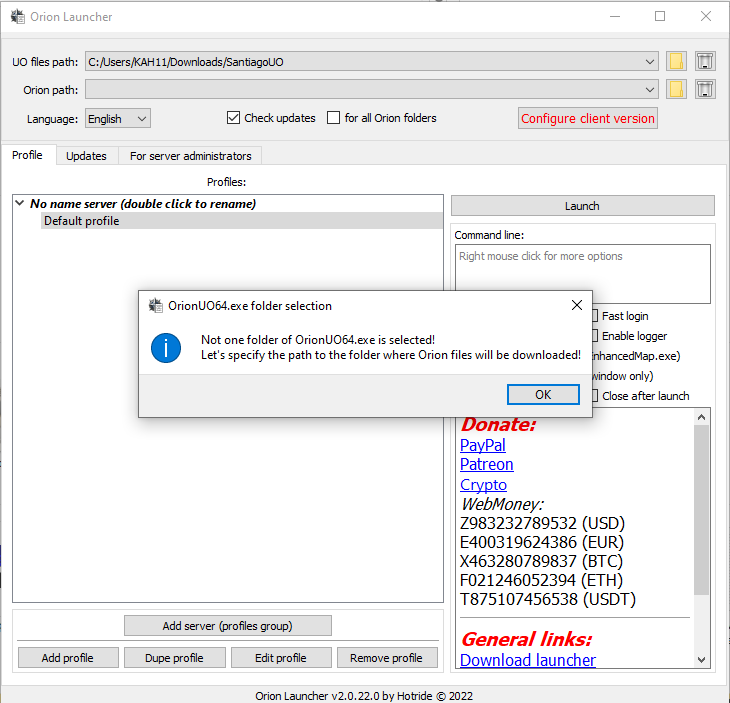
Step 3: Select your Ultima Online CryptoUO game folder 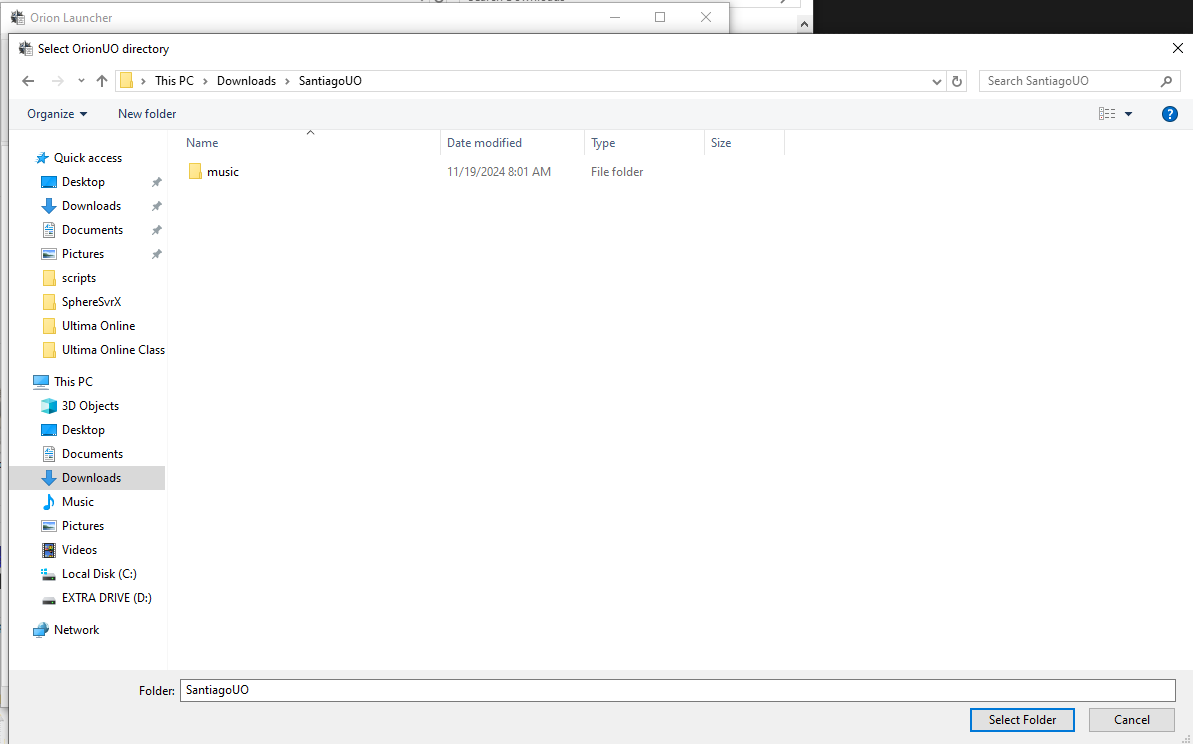
Step 4: Click "Ok" 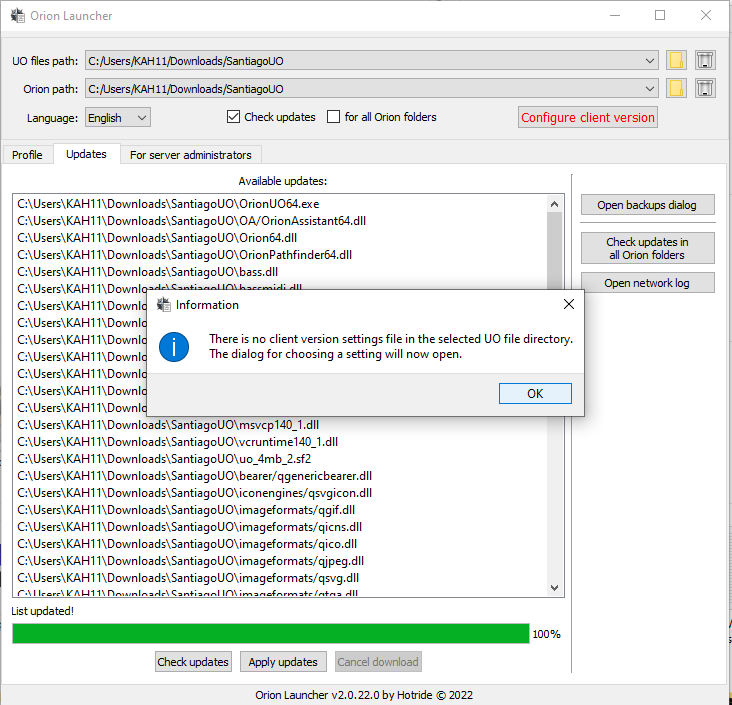
Step 5: Click "Configure Client Version" and Select "FROM CLIENT.EXE FILE" then Click "Ok" 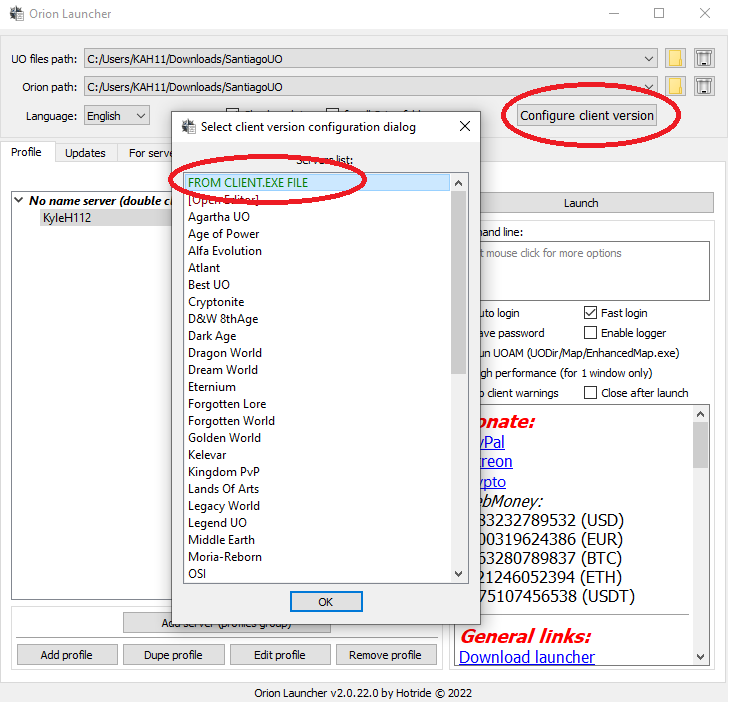
Step 6: Select Client.exe and Click "Create" then click the "x" on both Configure Dialogs to exit 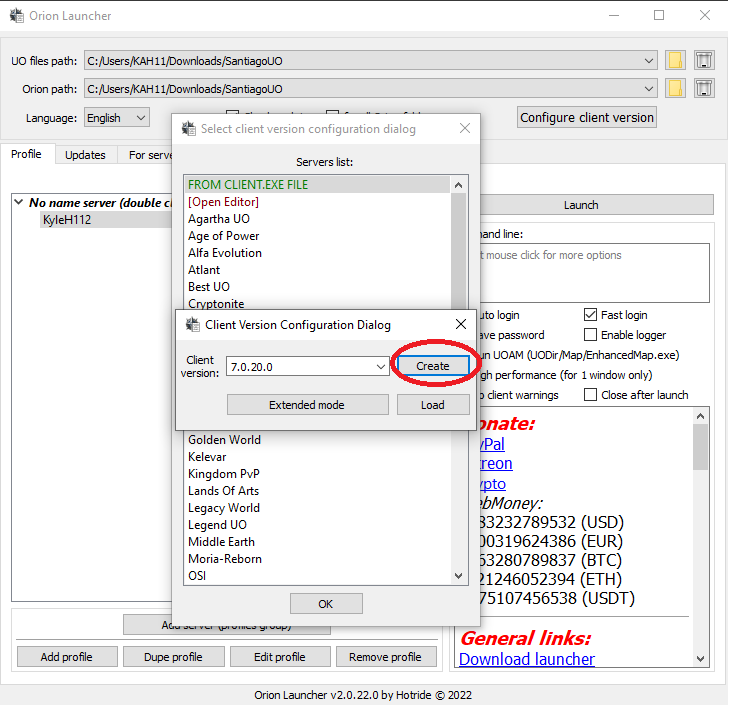
Step 7: Check for Updates & Apply Updates 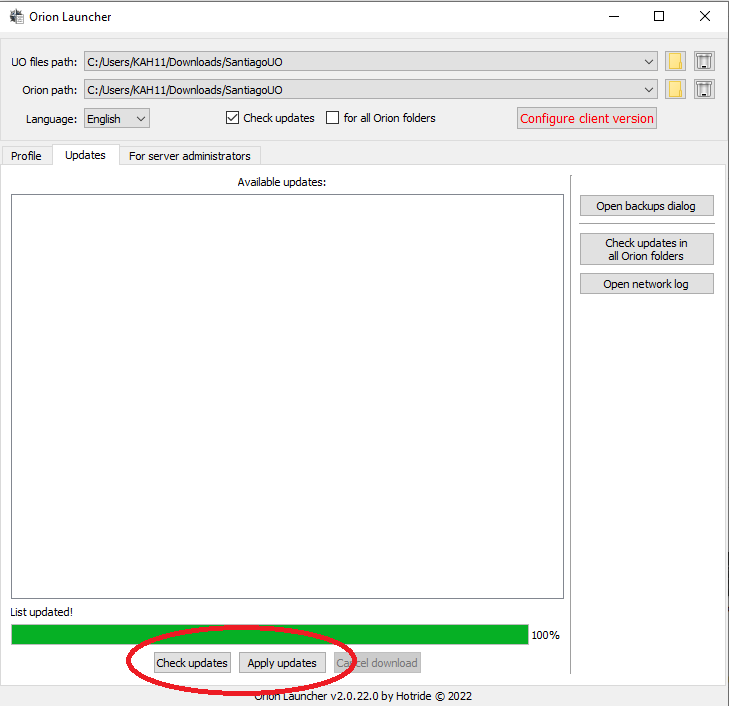
Step 8: Click the "Profile" Tab, Select the Default Profile and Click "Edit Profile" 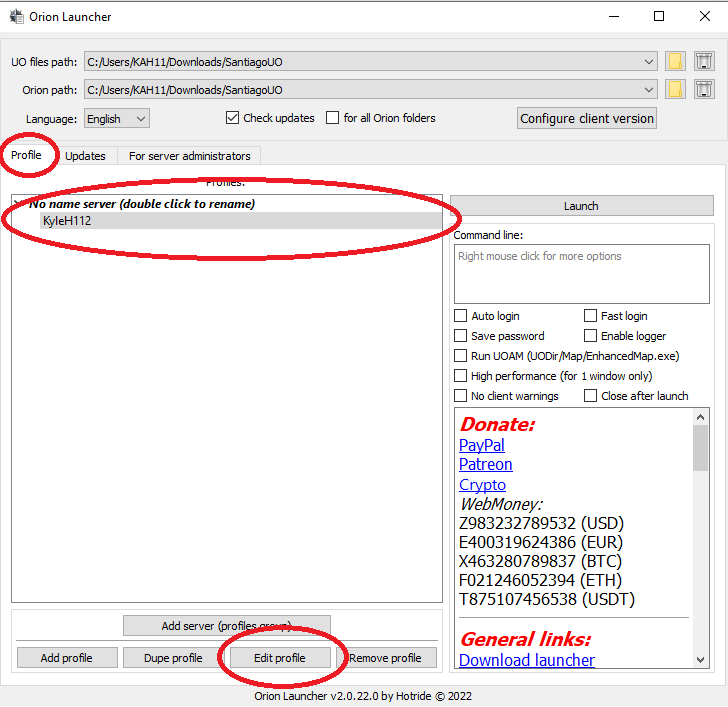
Step 9: Fill in your account & server information then click "Ok" 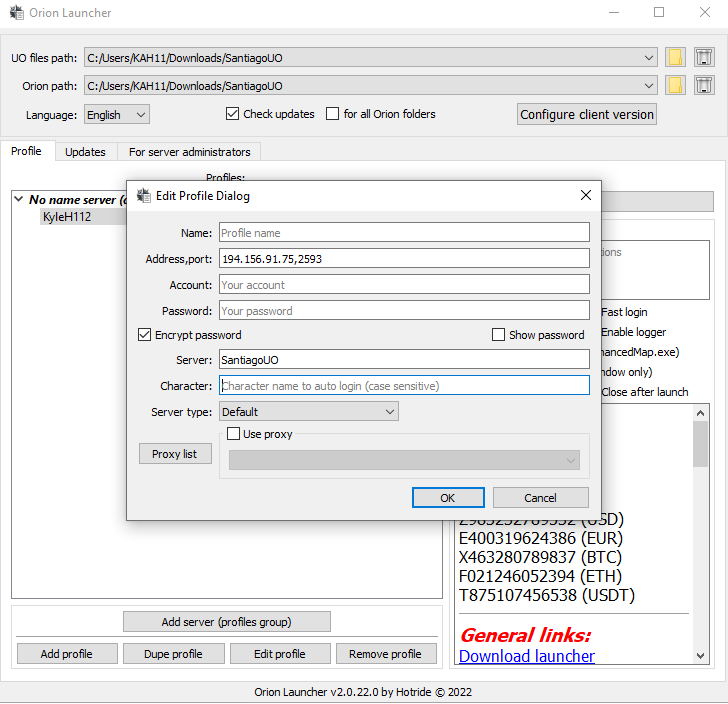
Final Step: Select what options you would like and click "Launch" 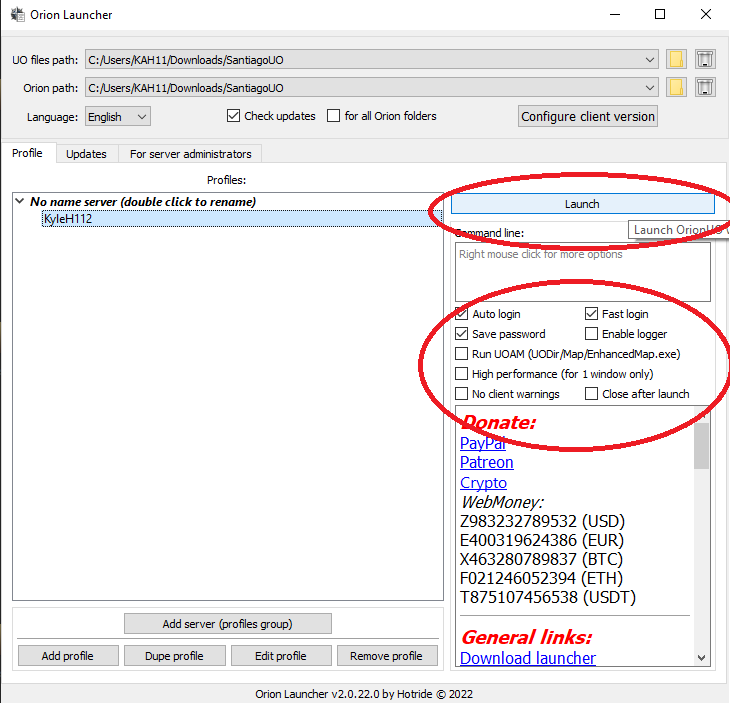
Launching Orion 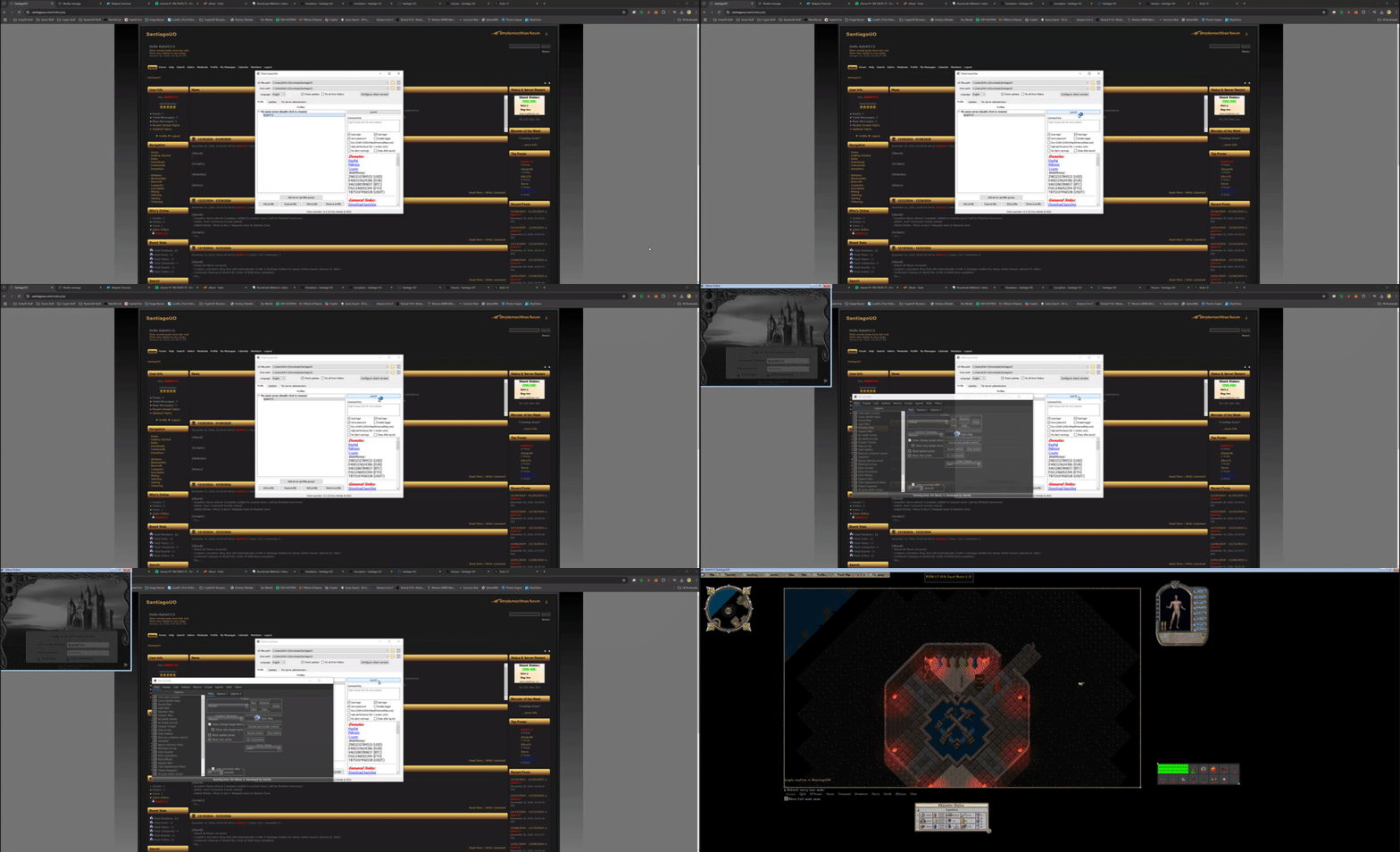
|

|
 Guests: 2
 Hidden: 0
 Users: 0
 Total Members:
 D-Day
D-Day


